One camera.
Start with a webcam or smartphone. Single-camera mode includes distance-to-camera estimation.
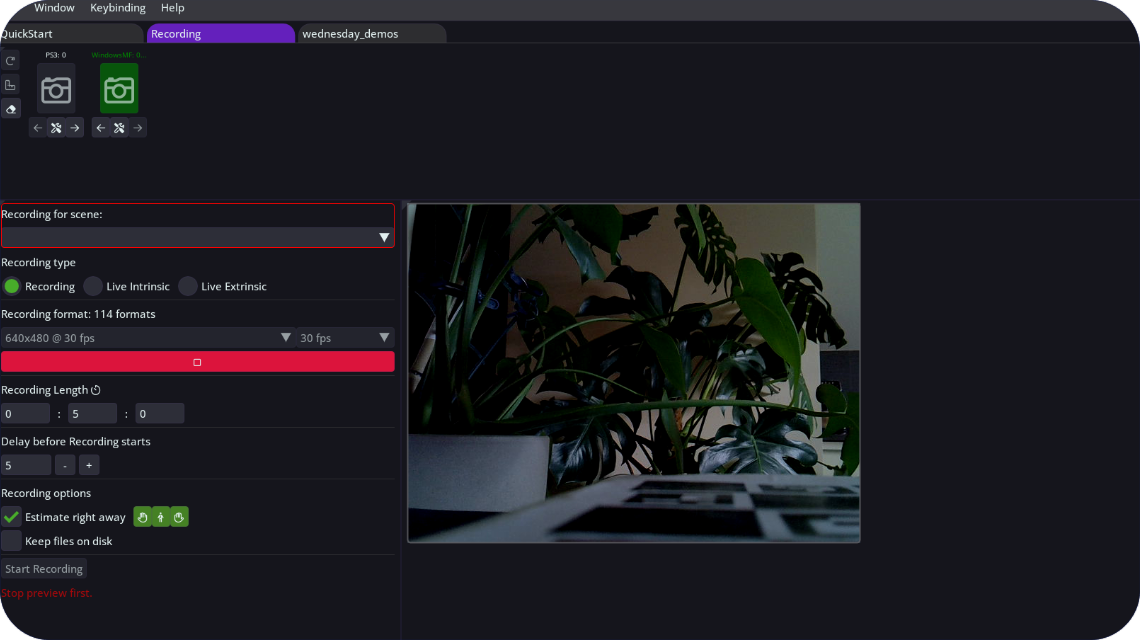
Capture full-body and hand motion with webcams or smartphones. Process it locally on your PC and take the result into your 3D workflow.
Windows · Local GPU / CPU processing · FBX / BVH · No tokens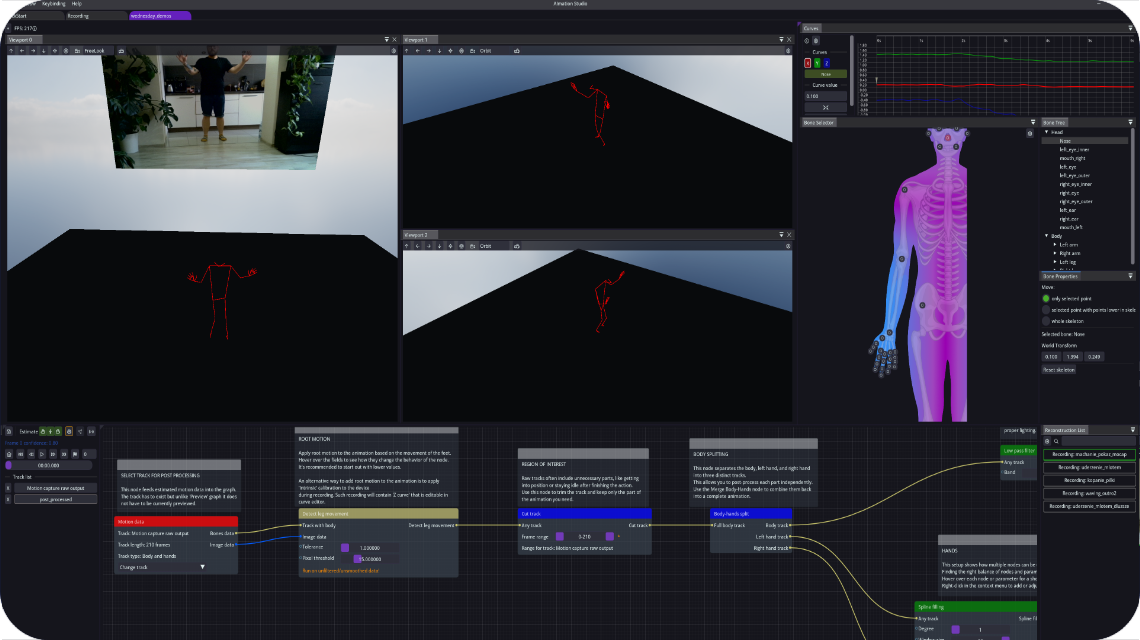
Your performance is your data. AImation Studio estimates and processes motion on your Windows PC, using your GPU or CPU.
Motion processing runs locally. Account activation, licenses and updates may use online services.
Use your own GPU or CPU for motion estimation.
No processing tokens or per-animation credits.
Work without waiting for a remote processing service.
Keep source performances inside your production environment.
Webcam or smartphone. One camera or a multi-camera setup.
Full-body and hand motion, processed locally on GPU or CPU.
Clean and combine motion in the node-based editor.
Export FBX / BVH or stream animation over WebSocket.
Continue in Blender, Unreal Engine or a compatible 3D tool.
Raw mocap rarely ends the workflow. Clean, combine and prepare your motion before it leaves the application.
Tutorials ↗Start with a webcam or smartphone. Single-camera mode includes distance-to-camera estimation.
Use a multi-camera setup when your project needs more viewpoints. Get started without a proprietary capture rig or mocap suit.
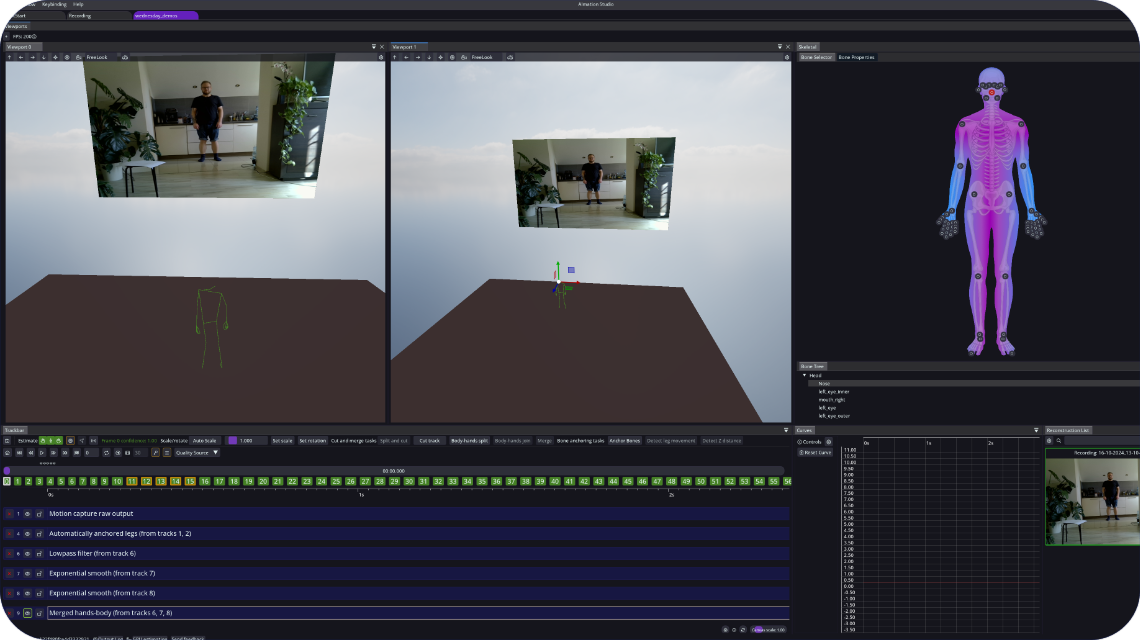
Estimate full-body and hand motion together, or use Hand Animation Mode to capture hands separately. Merge the result into your animation during post-processing.
Tutorials ↗Export animation for your 3D workflow or stream motion frames directly to another application.
A Windows PC and a webcam or smartphone. Check the current application requirements and follow the camera setup guide before your first recording.
Downloads and setup ↗No feature tiers. No token packages. Try your recording, your hardware and your workflow before choosing a license.
License sales are temporarily unavailable. You can check trial availability in your account.
View pricing ↗Record in single or multi-camera modes using webcams or smartphones!
Capture full-body and hand movements, allowing you to animate even the most advanced characters.
Private and Fast: Processes everything locally on your PC, utilizing either GPU or CPU - no cloud, no tokens, no downtime. Generate animations in under a minute.
Hand Animation Mode: Capture hands separately and easily merge them into any animation during post-processing
Post Processing: Quickly clean up raw motion data with our node editor, packed with powerful tools for smoothing, motion analysis, and much more!
Exporting: Export animations to BVH and FBX formats
Integrations: WebSocket API support for real-time animation transfer to third-party engines to easily bridge the workflows
Unreal Engine Live Link and Metahuman project available using UE powerful IK solvers.
Easily retarget on your mesh using Unreal tools
Windows 10+ 64-bit
GPU: OpenCL required for estimation (including integrated GPUs)
CPU: At least 4 cores
Phone or Windows camera
Retargeting & Mesh display
Multi-person estimation
Face capture
AImation offers one straightforward plan with no hidden fees, no tokens, and no limits. Get immediate access to all features and updates.
Installation, camera setup, post-processing and export. Follow the guides using your own footage.
Start capturing without a suit, processing tokens or a cloud queue.
Windows · Local GPU / CPU processing · FBX / BVH · No tokensTry the workflow with your own footage. Then choose the license that fits your project.