Loading extrinsic calibration
Enable all devices that participated in the calibration and click on the Extrinsic Loader (ruler icon). In the modal that appears, navigate to the Calibration Loader tab. Use the dropdown menu at the top of the window to load and manage existing calibration files. Hovering over each option will reveal additional metadata about the file.
If you have just completed the extrinsic calibration the devices should already be enabled and in the correct order. Simply select the file and apply it to the devices.
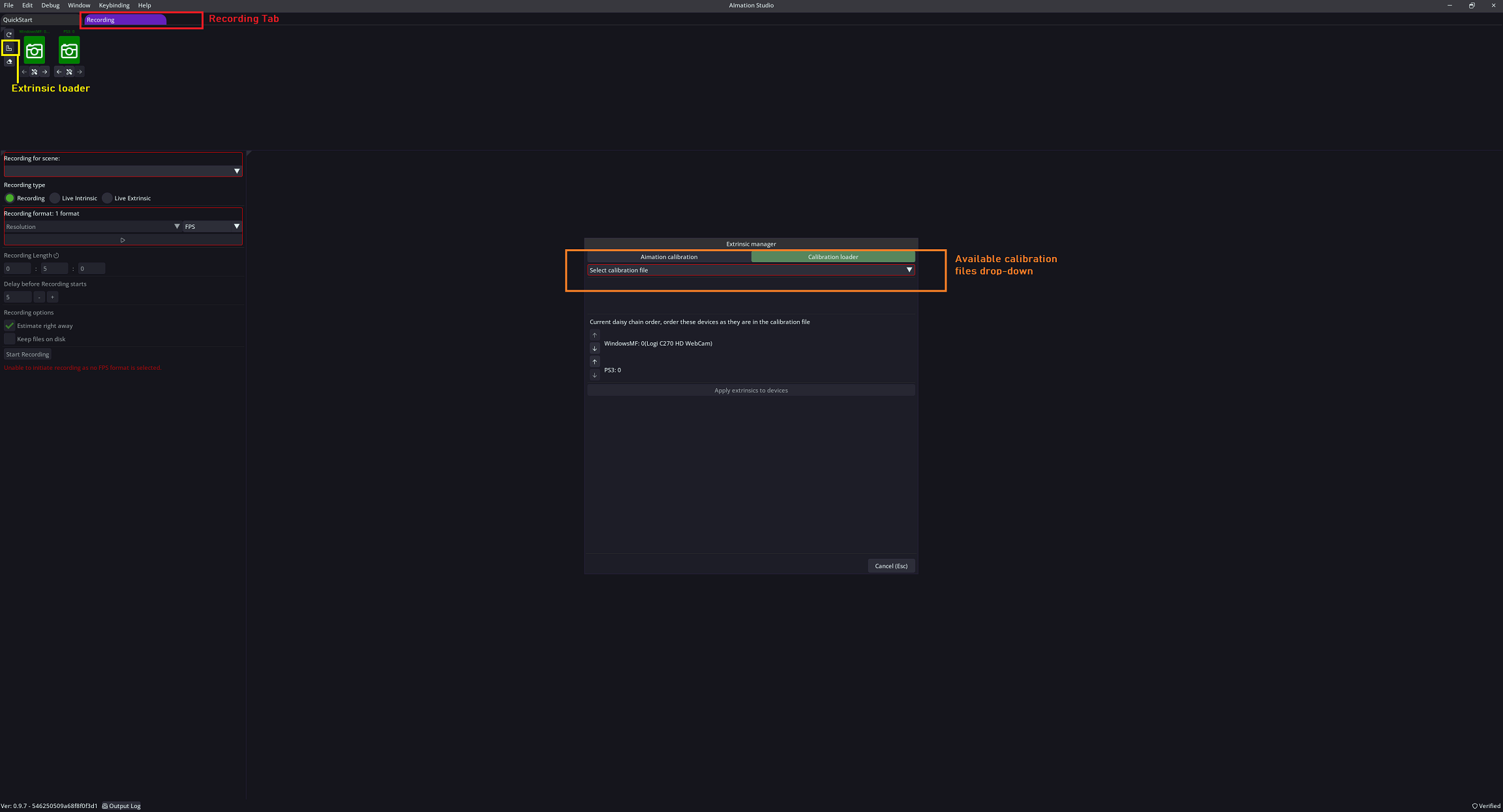
Choose the calibration file from the dropdown menu, and after it loads, arrange the devices in the 'current daisy chain order' field by using the arrow keys to match the corresponding order.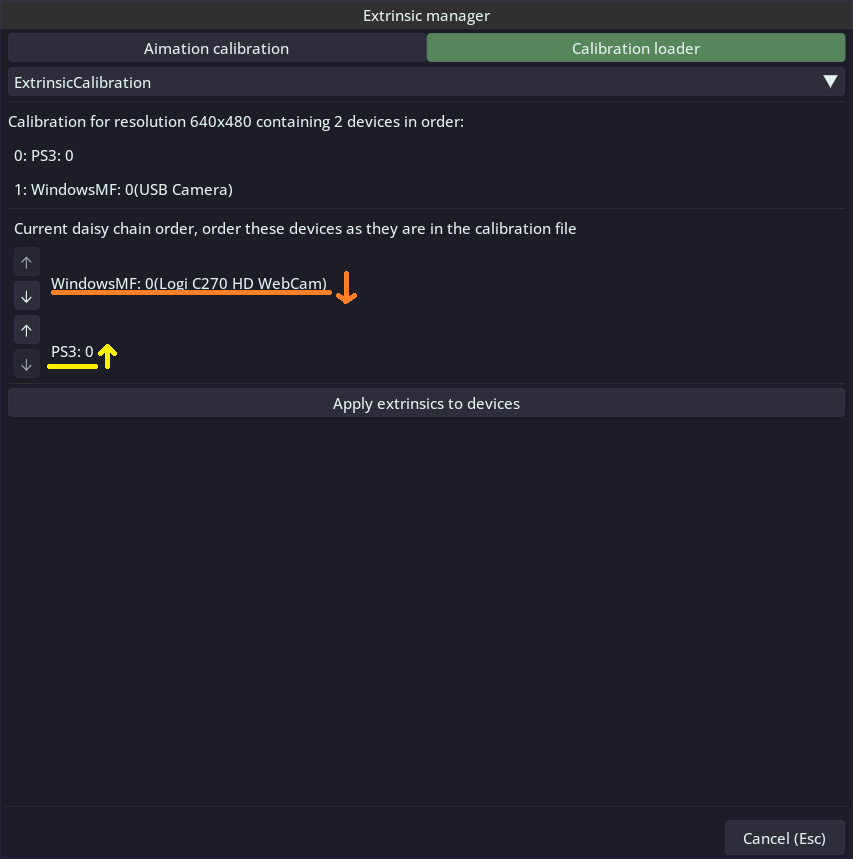
Cick 'Apply extrinsic to devices' to finish the process.
You're done! Your setup is ready to record your first multi-camera animation!